



Blog
Digital Service Reports: Connected Documentation and Real Time Optimisation
Service reports are as much a part of field service as your fleet, spare parts, and first-time fixes. After every job, it must be clear what has completed, what materials were used, how much time was spent, and whether there are any outstanding issues. What to look out for in digitised service reporting.

Contents
Digitised service reports: Key points
- Digital service reports only realise their full potential when they are embedded within the overall field workflow – not as a replacement for forms, but as a process component.
- Complex field service requires a high-performance app: offline capability, flexible forms, and system integration are essential, not just a nice-to-have.
- Data quality is achieved through process design: mandatory fields, validity checks. and automatic pre-filling prevent errors during data entry.
- The most valuable aspect of the digital service report is not a PDF, but the structured data behind it.
Complex field services require structured workflows
Digitised service reports do not solve every problem in field service. However, they eliminate a key in mobile job processing. When implemented correctly, they transform field service documentation into a structured, fast and analysable process.
What is a digital service report?
The report contains all relevant information relating to the service call, for example:
- Customer details and location
- Job number and job description
- Work carried out
- Working hours, travel time and waiting time
- Materials and spare parts used
- Photos, signatures, and attachments
- Test results, measurements and checklists
- Outstanding follow-up tasks or recommendations
The key difference compared to a paper report is that the data is not transferred at a later stage. It is digitised and available immediately, can be automatically transferred to back-end systems and used for subsequent processes. A completed form therefore becomes an integral part of the overall field service management process.
Why digital service reports are more than just ‘paper as a PDF’
A digital service report should not just be a paper form on a tablet. The real benefit arises when the report is embedded within the process. Then the technician does not have to re-enter all the information. Master data, order data, customer data, property information or spare parts lists can be automatically imported from feature-rich scheduling, ERP or CRM systems.
This saves time in the field and reduces errors. More importantly, the data recorded is returned in a structured format. Not as a poorly legible scan, but as usable information for invoicing, follow-up work, reporting, quality management and further planning.
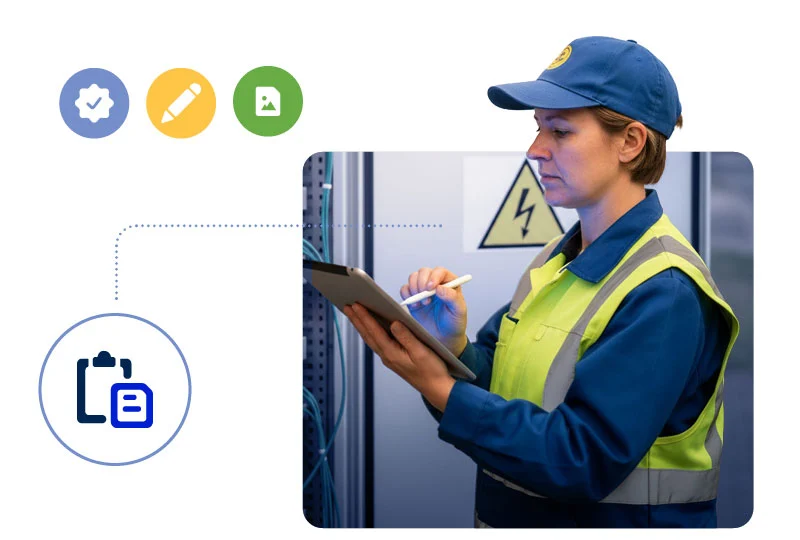
Digital service reports form part of the toolset for efficient field service and ensure seamless processes.
The key benefits of digital service reports
Digital service reports significantly shorten this process. Technicians record information directly whilst on site. Mandatory fields, drop-down lists and auto-fill features guide them through the report. Office staff have less to decipher, add or correct.
This makes a huge difference, particularly when there are many short call-outs per day. Every minute saved per job quickly adds up.
2. Better data quality Illegible handwriting, omitted details and transcription errors are common issues in paper-based service processes. Digital service forms prevent many of these errors as soon as the data is entered.
Mandatory fields ensure that important details are not omitted. Plausibility checks prevent incorrect values. Predefined drop-down menus ensure that information is recorded consistently. Photos, measurements and digital signatures can be added directly.
The result: service reports are more complete, cleaner and easier to analyse.
3. Faster feedback to ERP, CRM and scheduling solutions In field service, speed counts. Not only when travelling to the customer, but also when providing feedback.
When the service report is available digitally, follow-up processes can start immediately. The billing department receives relevant service data. Dispatch can see whether a job has been completed or whether a follow-up visit is required. Spare parts management can identify which materials have been used. Service managers receive better information for analysis and control.
In this way, the service report is transformed from a mandatory document into a management tool.
4. Greater transparency in day-to-day service operations Digital service reports create transparency between field staff and head office. The status of a call-out is known immediately, rather than only once the report has been submitted later. Information is available more quickly and can be incorporated into the overall process.
This is particularly helpful in dynamic service organisations. If a call-out takes longer, additional work arises or a follow-up order is required, the planning team can react more quickly. Mobile documentation therefore also supports dispatch and resource planning.
5. Faster and more professional customer communication Customers today expect clear and transparent information. What work was carried out? Why was a further visit necessary? What services were provided? What issues remain outstanding?
A digital service report can be generated immediately after the visit and sent to the customer. Depending on the process, the customer signs directly on the mobile device whilst on site. This looks professional and reduces the need for follow-up enquiries.
This is also economically significant for service organisations. The clearer the documentation, the easier it is to invoice for services and avoid complaints.
6. Less paper, less archiving, less time spent searching Digital service reports reduce paper, printing costs and physical filing. But access is even more important. Digital reports are easier to search, filter and archive.
Instead of searching through folders, teams can find reports by customer number, job number, property, date or technician. This saves time and improves traceability.
What features should a good service report app offer?
A good field service app for digital service reports should offer at least the following features:
Mobile job entry and processing Technicians need all relevant job information on their mobile device. This includes customer data, job details, contact persons, history, documents, checklists and notes from the dispatch team.
It should be possible to create the service report directly from within the job. This ensures that the documentation remains clearly linked to the job.
Digital forms and checklists Digital service reports must be able to accommodate different types of use. A maintenance job requires different fields to a fault, a commissioning or an inspection.
That is why forms should be flexibly configurable. Ideally, checklists, mandatory fields, selection options, text fields, tables, photos and signatures can be customised depending on the type of job.
Dynamic input fields Not every job requires the same information. Dynamic forms display only the fields that are relevant to the specific task.
For example: during maintenance, inspection points and measured values appear. For a repair, the cause of the fault, materials used and follow-up work are requested. For a statutory inspection, the focus is on supporting documentation and approvals.
This makes the report easier for technicians to complete and improves data quality.
Offline capability Field service does not always take place where the connection is stable. Cellars, engine rooms, industrial sites and rural areas are part of everyday life.
A service report app should therefore work offline. Technicians must be able to record reports even without a network connection. As soon as a connection is re-established, the app automatically synchronises the data.
Photos, documents and digital signatures Many situations are better documented with photos than with text. Digital service reports should seamlessly integrate images, attachments and signatures.
This helps with evidence, complaints, invoicing and quality assurance.
Integration with leading systems The digital service report only truly realises its full potential when it is not used in isolation. It should be linked to ERP, CRM or Field Service Management software.
It is important that the flow goes both ways: data from the leading system populates the report. The feedback recorded is fed back in a structured manner.

Digital service reports and mobile job processing go hand in hand
The typical process is as follows:
- Dispatch plans the job.
- The Field Service App makes the order available on a mobile device.
- The technician can view all relevant information.
- On site, they document work steps, times, materials, photos and test results.
- The customer signs digitally.
- The report is generated automatically and sent back.
- Follow-up processes such as invoicing, rework or reporting are initiated.
This creates a seamless process from planning right through to feedback. This is precisely where the difference lies between simple digitalisation and genuine field service management.
What companies should bear in mind when implementing this
It is better to rethink the process. What information is actually needed? Which fields can the system fill in automatically? Which details are relevant for invoicing? Which data helps with resource planning? What information do customers need?
This is how a form becomes an efficient process.
Involve users early on Digital service reports only work if technicians accept them as part of their daily routine. The app must be logically structured, respond quickly and make their work easier.
You should therefore involve the field service team at an early stage. Those who are out visiting customers every day know exactly which fields are useful and which simply waste time.
Working with clear standards Digital forms should not be allowed to grow haphazardly. Too many variants make maintenance and analysis difficult. It makes sense to have clear standards for each order type, industry or service process.
Example:
- Maintenance report
- Fault report
- Test report
- Installation report
- Commissioning report
- Acceptance report
This ensures the solution remains flexible yet manageable. Planning for integration from the outset If digital service reports subsequently have to be exported, sent or transferred manually, this creates the next data discontinuity.
That is why integration should be part of the project from the outset. Which systems hold which data? What feedback needs to go where? Which data should be stored in a structured format? What information does the billing department need?
The clearer the answers to these questions are, the greater the benefit.
Don’t just look at the PDF When it comes to service reports, many companies think first and foremost of the PDF for the customer. That is important, but it is not the whole process.
The structured data behind it is at least as valuable. It shows which tasks have been completed, which faults occur, which materials are frequently used, how long certain assignments take and where follow-up orders arise.
This data helps to manage field service more effectively in the long term.
Digital service reports in complex service organisations
In such organisations, digital service reports face complex requirements:
- many technicians and regions
- several jobs per day
- varying qualifications and skills
- SLA requirements and priorities
- different customer types and contract models
- ERP and CRM integration
- materials and spare parts processes
- Offline scenarios
- Documentation, audit requirements and compliance requirements
In such environments, mobile order processing requires greater solution depth. The app must not only capture reports, but also support the entire field service process.
This is precisely why digital service reports should always be considered in the context of the field service management system. They are a key component, and their value stems not least from their interaction with resource planning, route optimisation and mobile processes.

The MOBILE FLOW field service app connects field staff with the dispatch team and acts as a digital companion during assignments.
How digital service reports are changing work for service managers
They can see what is happening out in the field more quickly. They receive better data and a key building block for AI in field service. They can identify bottlenecks, recurring errors and inefficient processes. And they create a more reliable basis for decision-making.
Typical questions can be answered more effectively:
- How long do certain types of call-outs actually take?
- Which jobs frequently result in follow-up call-outs?
- What information is regularly missing?
- Where do delays occur between the completion of a call-out and invoicing?
- Which customers, assets or regions cause a particularly high amount of work?
- Which checklists are completed in full?
- Where do quality issues arise?
The digital service report thus becomes a data source for better field service.
Common mistakes in digital service reports
Compulsory fields are useful. However, too many of them make the app slow and unpopular. Only collect the information that is really needed.
Poor mobile usability
A form that looks good on a desktop may be unusable on a smartphone. Mobile processes must be designed for on-site use: fast, clear and robust.
No offline capability
If the app doesn’t work without a network connection, technicians will resort to workarounds. Notes will then end up back on paper or in personal apps.
Lack of integration
A digital report that is subsequently processed manually only saves part of the effort. The real benefit comes from automated feedback.
Insufficient focus on the data
Many companies focus on the final PDF. Yet the greatest potential for optimisation often lies in the structured data.
Digital service reports with Solvares Field Service
For digital service reports, this means: Mobile documentation is not a stand-alone feature. It forms part of an end-to-end process, from dispatch to completion confirmation.
Field staff receive the jobs planned with VISITOUR on their mobile devices, for example via the MOBILE FLOW app. They process them on site, recording times, materials, checklists, photos and signatures in the app, and feed the information back into the relevant systems.
Service managers and dispatchers gain greater transparency. The office staff reduce the amount of follow-up work. Customers receive clear records.
In this way, the service report becomes more than just a documentation requirement. It becomes part of an efficient, manageable and professional field service.
Digital service reports are the first step towards better mobile processes
Digital service reports save paper. That’s good. But that’s not the key point.
The real benefit lies in the fact that they bridge the gap between field staff and head office. Information is recorded where it is generated: directly on site. It is available more quickly, is easier to analyse and automatically triggers follow-up processes.
For companies with complex field service operations, digital service reports are therefore a key component. They become even more powerful when integrated with mobile order processing, resource planning and route optimisation.
Anyone digitising their service reports should therefore think not just about forms, but about the entire process.

André Bock
Sales Manager & Senior Consultant
Background and expertise in the field of FSM:
- Graduate in Economics and Mathematics (Schleswig-Holstein University of Applied Sciences)
- Has been working in the FSM sector since 2008, in a wide variety of roles
- Support and project management for over 100 client projects
André Bock is an expert in Field Service Management (FSM), specialising in resource planning, route optimisation and digital service processes. As an employee of Solvares Field Service (formerly FLS – FAST LEAN SMART), he has spent over 17 years exploring how companies can manage their technical field service teams more efficiently, productively and in a more customer-focused manner.